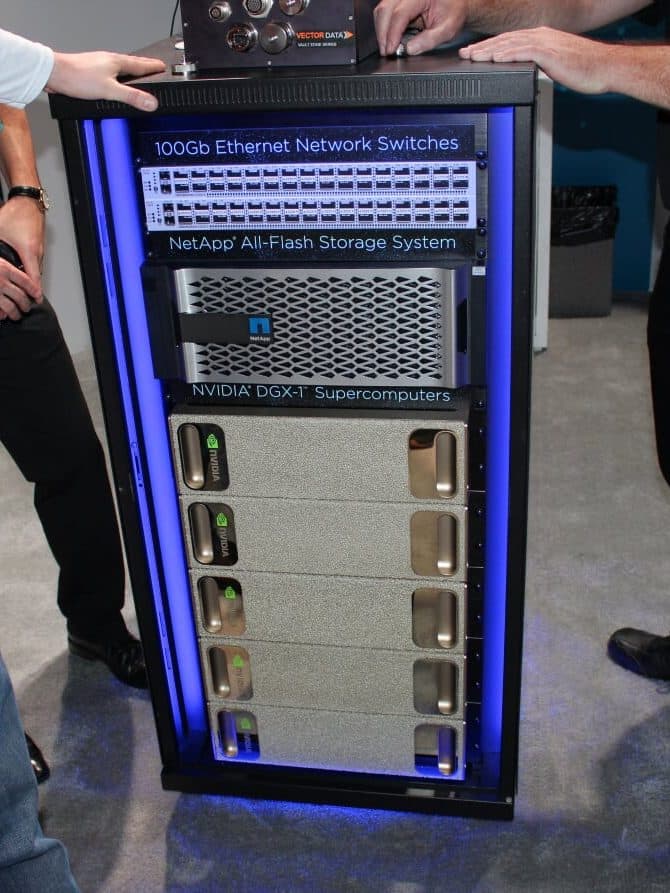
An H100 server costs more per hour than most of the people who use it. Every second its GPUs sit waiting for a file to arrive, that money is spent on nothing. Yet in most GPU servers the path from an SSD to GPU memory still goes through the CPU, byte by byte, the same way it did when GPUs were for games.
NVIDIA GPUDirect Storage, usually shortened to GDS, removes that detour. It lets an NVMe drive or a network card write straight into GPU memory. This post explains what it does, what it changes for AI training, checkpointing and inference, which storage systems support it, and what to plan for if you are building a GPU cluster in Bangladesh.
The problem: the bounce buffer
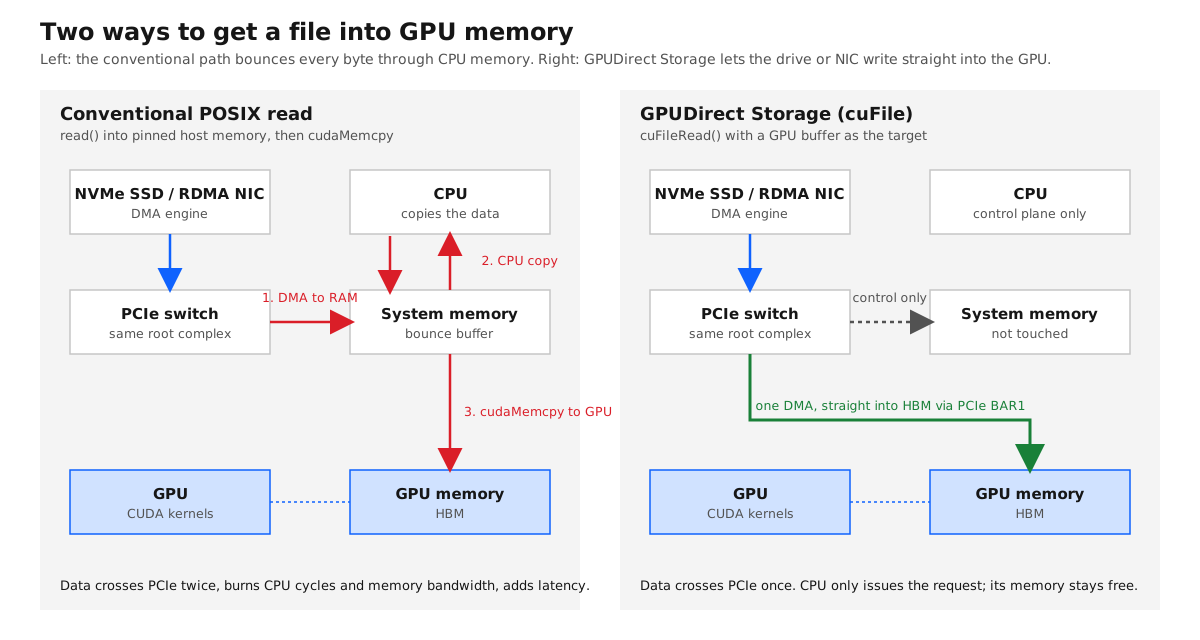
When a program on a GPU server reads a file today, the data takes a surprising route. The drive's DMA engine copies the data over PCIe into system memory. The CPU then copies it, often more than once, into a pinned staging buffer. Finally the CUDA driver copies that buffer over PCIe again into the GPU. That staging area is the "bounce buffer", and it has three costs:
- PCIe is crossed twice, which halves the usable bandwidth of the slot.
- CPU cores and memory bandwidth are consumed by copies that do no useful work. On an eight-GPU server feeding all GPUs at once, the CPU becomes the bottleneck long before the drives do.
- Latency goes up with every hop, which hurts workloads that do many small random reads, such as graph analytics, recommendation systems and image training with millions of small files.
How GPUDirect Storage works
GDS is the third member of the GPUDirect family. GPUDirect Peer-to-Peer (2011) let GPUs talk to each other over PCIe; GPUDirect RDMA (2013) let network cards write into GPU memory, which is why InfiniBand and RoCE clusters scale; GPUDirect Storage, generally available in CUDA 11.4 in 2021, extended the same idea to file I/O.
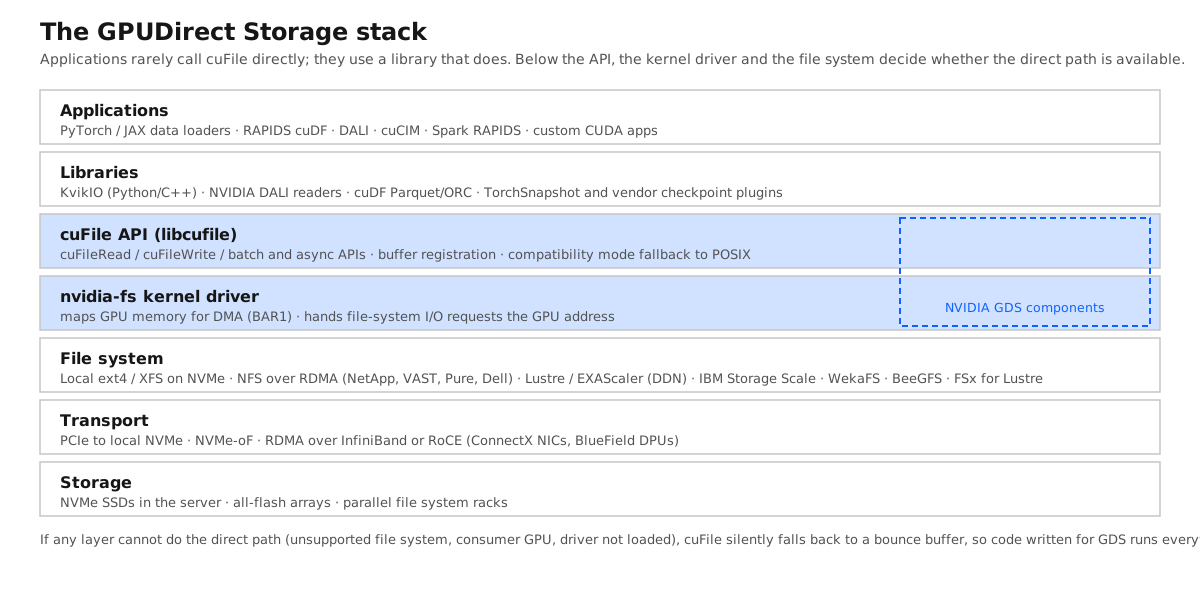
The mechanism relies on a feature of data-centre GPUs called BAR1, a window through which GPU memory can be mapped into the PCIe address space. The nvidia-fs kernel driver uses it to hand a file system a GPU address instead of a host address. The file system issues the I/O as usual, and the DMA engine in the NVMe drive, or in the RDMA network card for remote storage, writes the data directly into the GPU. Applications use the cuFile API from libcufile, calling cuFileRead with a GPU buffer as the destination.
Two properties make it safe to adopt:
- It works with local and remote storage alike. Local NVMe drives formatted with ext4 or XFS, NVMe over Fabrics, NFS over RDMA and parallel file systems such as Lustre, IBM Storage Scale, WekaFS and BeeGFS all have a direct path.
- It falls back gracefully. If the direct path is unavailable, because the file system does not support it, the GPU is a consumer GeForce card, or the driver is not loaded, cuFile switches to compatibility mode and uses a conventional bounce buffer. Code written for GDS runs everywhere; it is simply faster where the hardware allows.
_form-factor.jpg)
What it delivers
The published numbers come mostly from NVIDIA and its storage partners, so read them as best cases, but they are consistent:
- NVIDIA, DGX A100. More than 53 GB/s from the eight local NVMe drives and more than 185 GB/s through eight network cards, in both cases close to the physical limit of the PCIe and network links.
- IBM, DGX A100 with ESS 3200. 43 GB/s of reads across eight GPUs, a 1.9 times improvement over the same storage without GDS, reaching 86 percent of the physical network bandwidth.
- VAST Data, DGX-2. The conventional path saturated the CPUs at 33 GB/s. With GDS the same system ran near line rate with the CPUs at 15 percent.
The CPU figure is the one that matters most in practice. Freeing the CPU is what lets a single server feed all eight GPUs, run the data preprocessing pipeline and serve requests at the same time.
Where it matters
Training data pipelines. Image, video and medical datasets are millions of files read in random order every epoch. NVIDIA DALI, cuCIM and RAPIDS cuDF can read straight into GPU memory and decode there, so the CPU is no longer the ceiling on images per second. Recommendation and graph workloads, whose working sets exceed GPU memory, gain even more from the lower latency.
Checkpoints. A checkpoint of Llama 3 405B is roughly five to six and a half terabytes, and large training runs write one every few minutes so that a failure costs minutes rather than hours. Meta's paper on Llama 3 describes checkpoint bursts as one of the hardest problems for its storage, with its Tectonic file system sized for 2 TB/s sustained and 7 TB/s peak. Most clusters need far less, and asynchronous checkpointing, where the GPU copies to host memory and continues, means a few hundred gigabytes per second is enough even at trillion-parameter scale. GDS matters here mainly for the restore: when a thousand GPUs all reload the same checkpoint after a failure, read bandwidth into the GPUs is the recovery time.
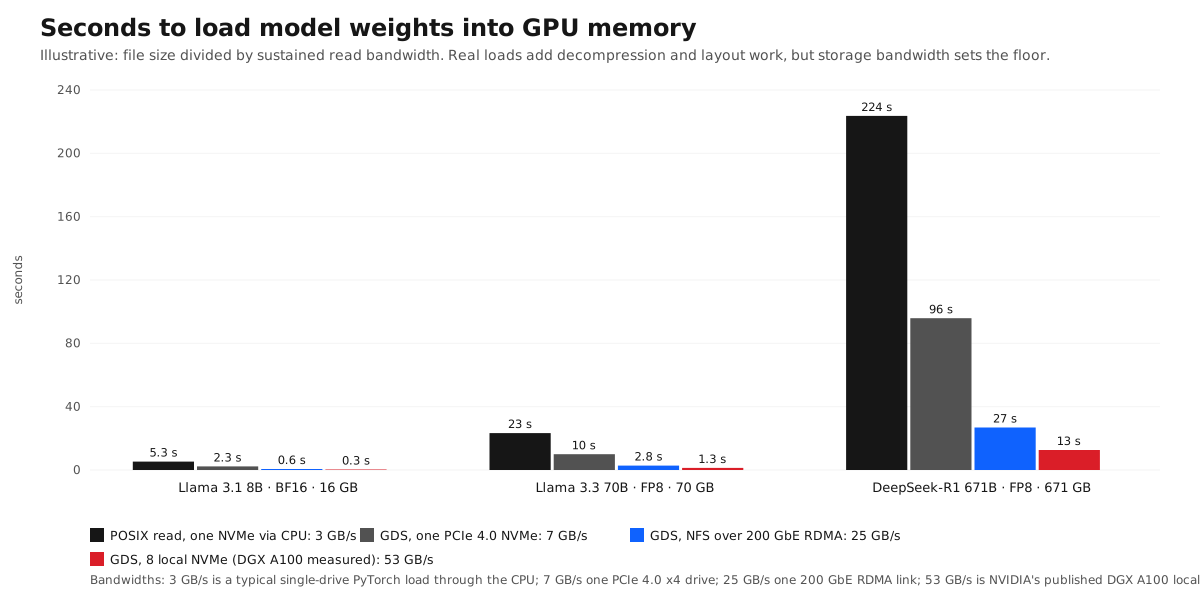
Model loading for inference. The chart above is the whole argument. DeepSeek-R1 is 671 GB in its native FP8. At the 3 GB/s a conventional loader achieves from a single drive, every new replica takes nearly four minutes to start; with GDS from fast local NVMe it takes a quarter of a minute. The same applies to switching models on a shared GPU and to reloading after a crash.
KV cache offload. The newest use of the same path is not for weights but for conversation state. Serving stacks such as NVIDIA Dynamo and LMCache move the KV cache of idle conversations out of GPU memory to CPU memory and then to NVMe, and bring it back when the user returns. A direct NVMe-to-GPU path makes that round trip cheap enough to use.
.jpg)
What you need to run it
- A data-centre GPU. A100, H100, H200, B200, L40S and the RTX PRO workstation cards expose BAR1 for this use. GeForce cards do not, and run in compatibility mode.
- PCIe topology that lines up. The drive or NIC should sit under the same PCIe switch or root complex as the GPU it feeds. Crossing the CPU's interconnect between sockets works but loses much of the benefit. DGX and HGX designs are laid out for this; general-purpose servers need checking with
nvidia-smi topo -m. - The driver and library. The
nvidia-fskernel module andlibcufileship with the CUDA toolkit on supported Linux distributions. Kubernetes nodes need the module in the GPU operator image. - A supported file system. Local ext4 or XFS on NVMe is the simplest. For shared storage the vendor must have done the work.
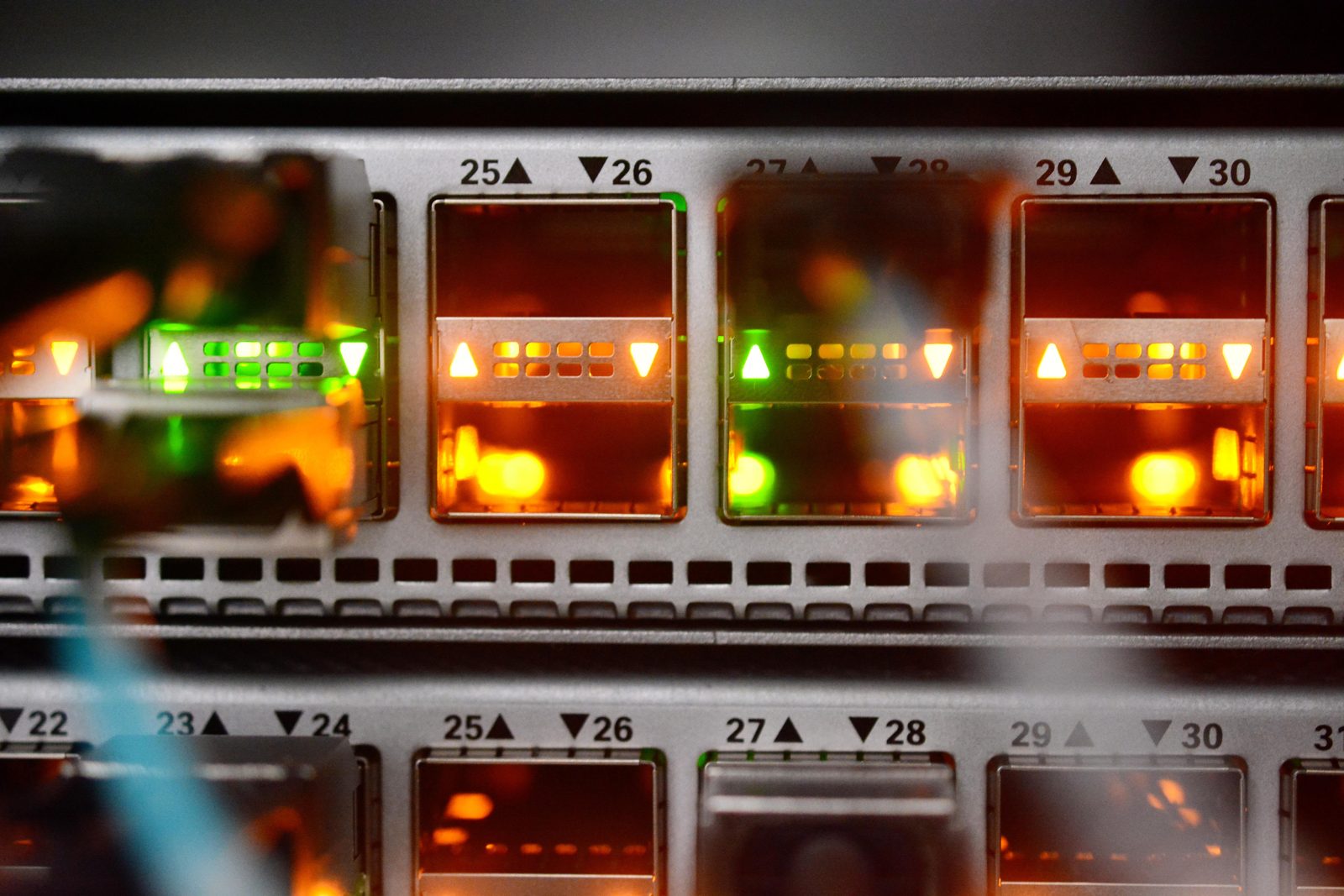
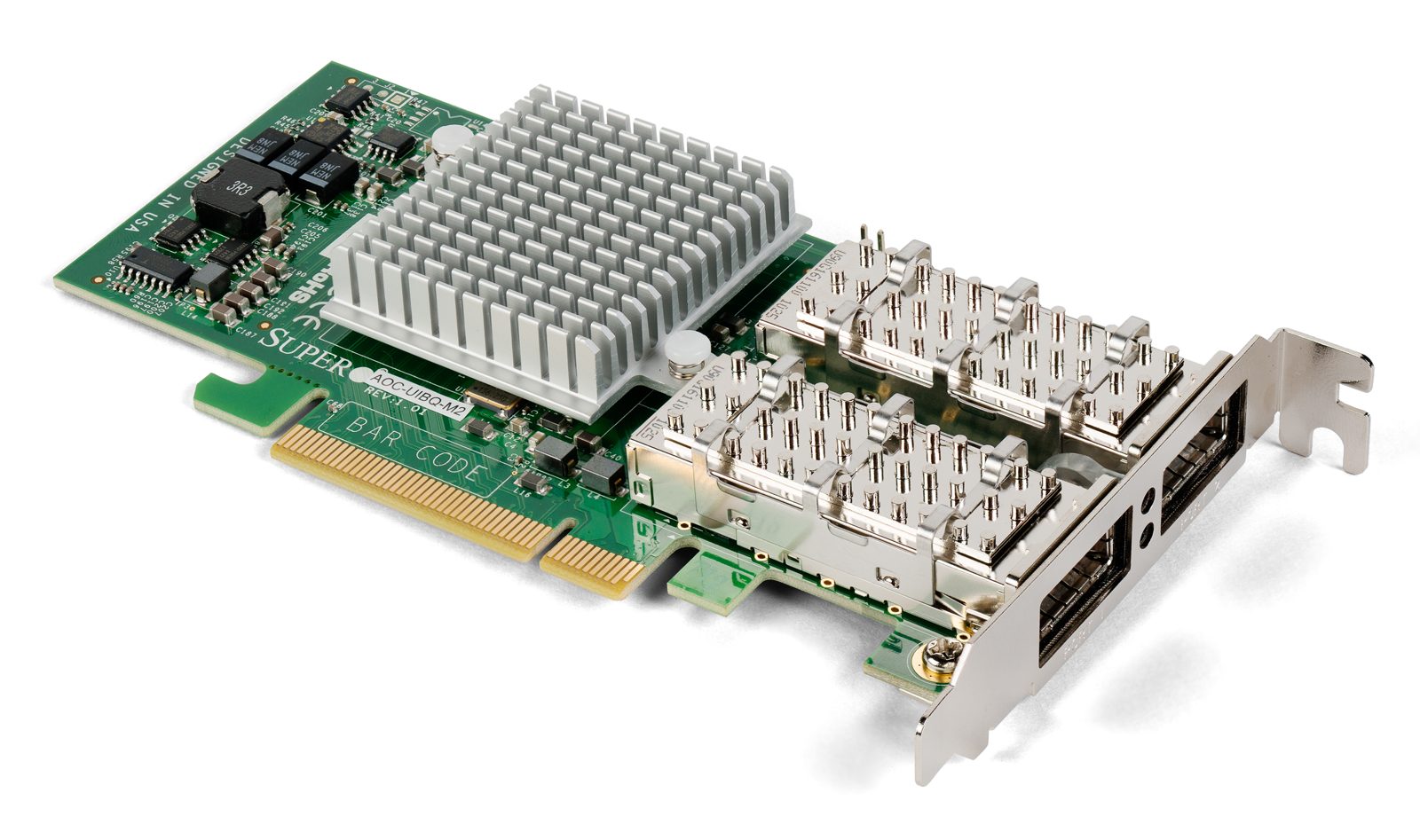
- An RDMA network for shared storage. InfiniBand or RoCE on ConnectX-class cards. Ordinary NFS over TCP on 10 GbE gets nothing from GDS.

The vendor landscape
NVIDIA lists more than 180 partners in the GDS ecosystem. The ones that matter for a buyer in our region fall into three groups:
| Group | Products with a GDS data path | Notes |
|---|---|---|
| Parallel file systems | DDN EXAScaler (Lustre), IBM Storage Scale, WEKA, BeeGFS, Amazon FSx for Lustre | The high-end answer for training clusters. DDN and WEKA are the usual choices in DGX SuperPOD deployments. |
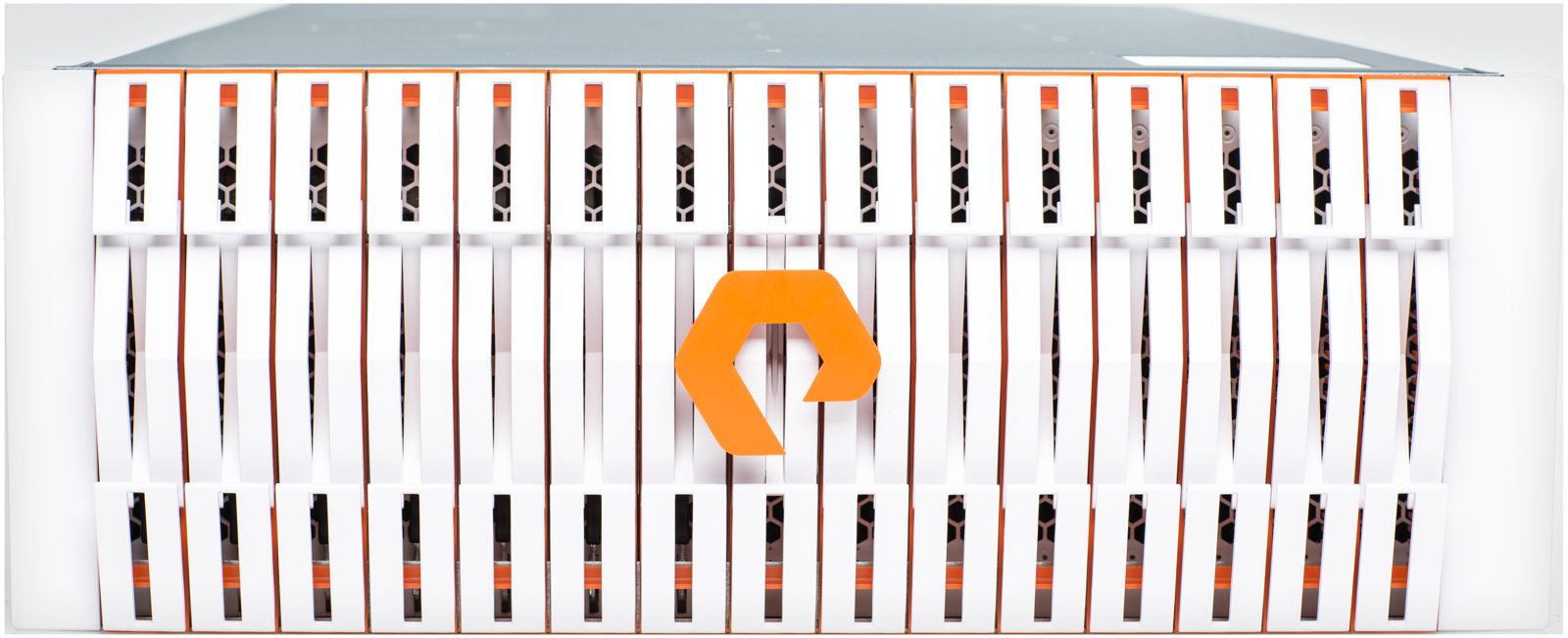
| NFS over RDMA arrays | VAST Data, NetApp ONTAP, Pure Storage FlashBlade, Dell PowerScale | Simpler to operate, familiar NFS semantics, fast enough for most inference and fine-tuning work. |
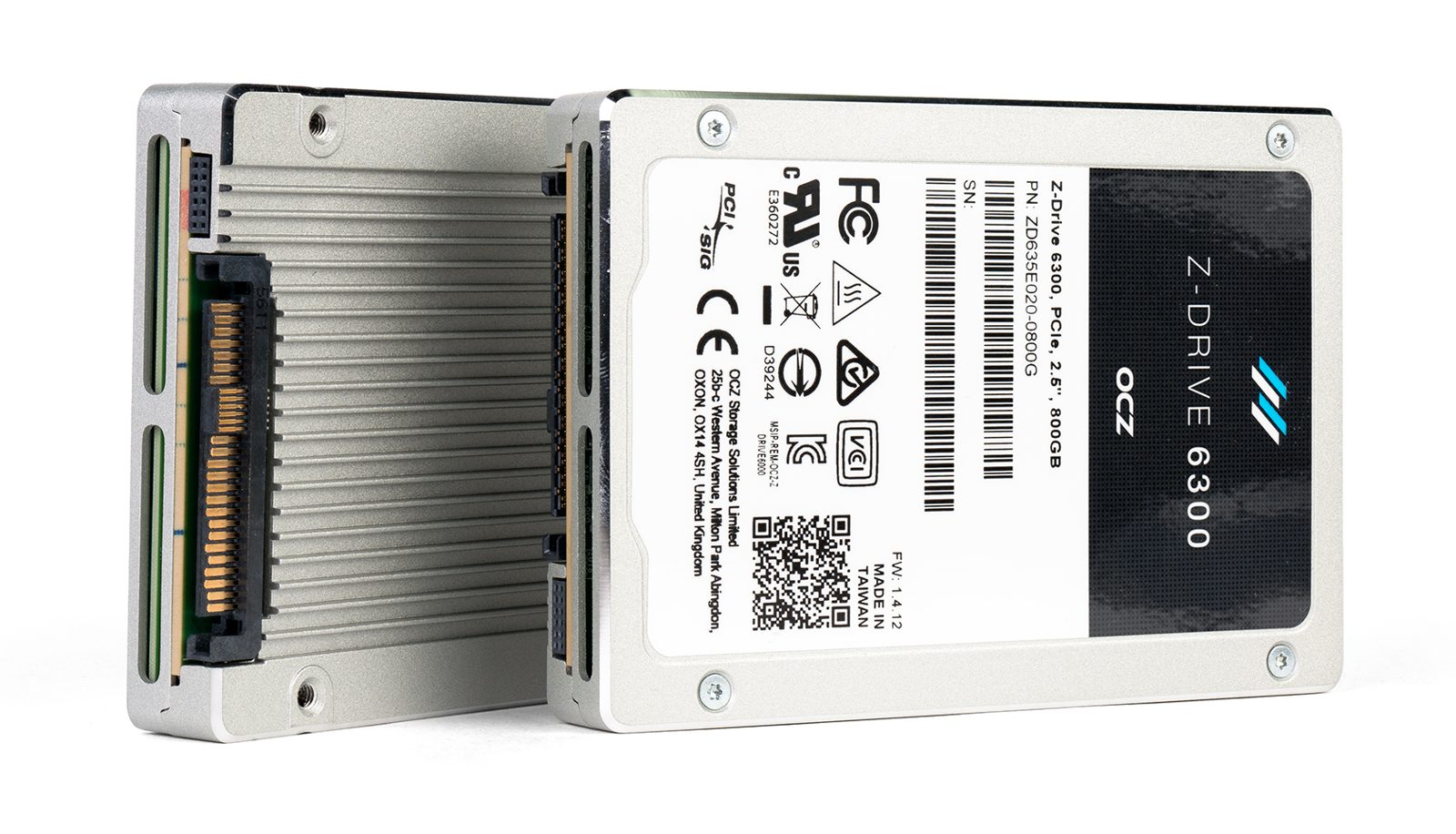
| Local NVMe | Any NVMe drive on ext4 or XFS; Micron, Samsung, Kioxia and Solidigm enterprise drives | The cheapest bandwidth per gigabyte, no network needed, ideal for model caches and scratch space. |


The software you will actually use
- KvikIO is the Python and C++ library from the RAPIDS team that wraps cuFile. It reads and writes CuPy, PyTorch and NumPy arrays, works with or without GDS, and is the easiest way to add a direct path to an existing data loader.
- RAPIDS cuDF reads Parquet, ORC and CSV into GPU dataframes through KvikIO, and Spark RAPIDS inherits it.
- NVIDIA DALI readers for images, video and NumPy arrays can take the GDS path, which is how most GDS-enabled PyTorch and JAX training pipelines are built.
- cuCIM does the same for medical and microscopy images.
- Checkpoint plugins from the storage vendors, and the asynchronous checkpointing in NVIDIA NeMo and PyTorch distributed checkpoint, use cuFile where available.
- gdsio ships with GDS and is the tool to prove a server actually achieves the direct path before anyone writes application code.
What this means for Bangladesh
Most GPU servers installed in the country so far were bought as compute, with storage as an afterthought: a couple of SATA SSDs, or NFS over 10 GbE to an existing filer. For traditional machine learning that was fine. For large language models it means a 70B model takes minutes to load, a training job spends half its time waiting on input, and an eight-GPU server behaves like a four-GPU one. Three steps fix most of it:
Put NVMe in every GPU node. Four to eight PCIe 4.0 or 5.0 U.2 drives per server, on the same PCIe switch as the GPUs, formatted with XFS, give tens of gigabytes per second of local bandwidth for model caches, dataset shards and checkpoint staging at a small fraction of the server's cost. This single change makes the chart above go from the left bar to the right bar.
Build the network for RDMA from day one. A 200 or 400 GbE RoCE fabric, or InfiniBand, with ConnectX-7 class adapters serves both GPU-to-GPU traffic for training and the storage path for GDS. Retrofitting it later means recabling the room.
Choose shared storage that has done the GDS work. For a sovereign AI cloud serving many tenants, that is a parallel file system or an NFS-over-RDMA array from the table above. For a single department, a well-built BeeGFS or Lustre system on NVMe servers delivers most of the benefit at open-source cost. In every case, run gdsio at acceptance and insist on seeing the direct path, not compatibility mode.
CompTech designs and delivers GPU infrastructure for enterprises and government in Bangladesh, from single inference servers to clustered training platforms with the storage and network to match. If your GPUs are waiting on data, talk to us about measuring where the time goes before buying more of them.
Cover photo of a NetApp ONTAP AI rack by Qdrddr, CC BY-SA 4.0. Other photographs are credited in their captions and used under their Creative Commons licences from Wikimedia Commons. Diagrams and chart by CompTech. Performance figures are vendor-published results; the load-time chart is calculated from bandwidth, not measured.
